World Fighters Platforms and Cross-Play Support
A compatibility page built from the official metadata listing PC, Mobile, Tablet, Console, Xbox, PlayStation, and Meta Quest support, with practical cross-device planning notes.
In This Article
Gameplay Screenshots
Visual reference
Frames captured from credited public YouTube gameplay videos for editorial reference. All game imagery belongs to its respective rights holders.
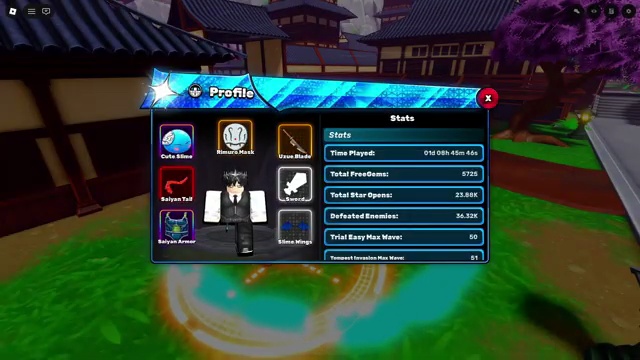
Profile and menu readability are practical checks when comparing screen sizes and control methods.
Video source: World Fighters FASTEST Progression Guide! (BEST START) — Kirito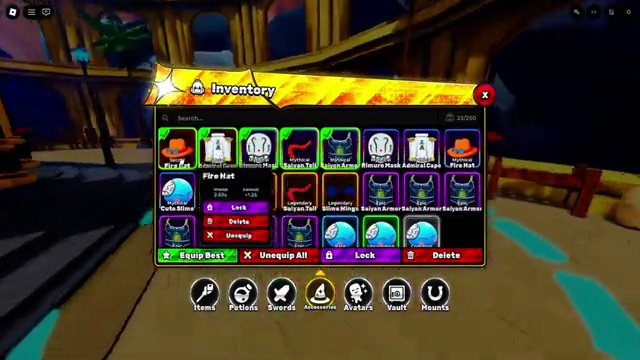
The inventory view highlights the number of controls and labels that should remain comfortable on the chosen device.
Video source: Do THIS NOW to Get OP FAST In World Fighters Simulator! — Kingmoe303Official platform support is broad
The source metadata lists support for PC, Mobile, Tablet, Console, Xbox, PlayStation, and Meta Quest. That makes platform compatibility one of the easiest parts of World Fighters to verify from public data. Players should still expect control feel, screen space, and performance to vary by device, but the listing gives a reliable starting point for deciding whether a group can play together.
Why platform support matters for progression
World Fighters is built around worlds, enemy clears, Cristals, avatars, Pets, and shared rewards. Those systems are session-based, so platform choice can affect how comfortable a player is during long farming or co-op runs. Mobile may be useful for shorter check-ins, while PC or console may feel better for longer sessions that require repeated enemy clearing and route testing.
Cross-device groups and shared rewards
The official description says rewards are shared across all game modes and encourages playing with friends. This makes platform support more than a technical note. If a friend group is split between mobile, console, PC, and other supported devices, shared rewards can make cross-device coordination part of progression planning instead of just a launch question.
What to test on each device
Players should test loading time, input comfort, camera control, readability, performance during enemy clears, and whether long routes feel sustainable. Console and PC players may care more about control precision, while mobile and tablet players may care more about touch comfort and battery sessions. Meta Quest support should be treated as confirmed by metadata but still worth testing for comfort and interface clarity.
Account and Roblox limitations
This site cannot solve Roblox account, purchase, login, moderation, or platform billing issues. If World Fighters launches on a supported platform but your account has a Roblox-level issue, use official Roblox support. This article is only about the public compatibility signals and how platform choice can affect guide planning.
Best way to plan a group session
Before a long shared reward session, ask each player which device they are using, whether they can comfortably clear enemies, and whether they have checked current codes. Then choose a route that works for the slowest or least comfortable device. A route that is technically optimal on PC may not be best for a mixed group if mobile or console players lose efficiency.
What remains unknown
The public listing confirms platform support, but not exact frame rates, control layouts, device-specific UI changes, or platform-specific bugs. Those details should be added only after direct testing or reliable public evidence. Until then, treat this page as a compatibility baseline and connect detailed findings back to the wiki when they are verified.
Data Table
Platform planning comparison
Public support is confirmed, while performance and control quality must be tested on the player’s actual device.
| Platform group | Useful checks | Best planning use |
|---|---|---|
| PC | Frame stability, keyboard or controller input, camera speed | Long route tests and detailed comparisons |
| Mobile | Touch targets, heat, battery, text size and connection | Short sessions and comfortable repeatable routes |
| Tablet | Touch reach, interface scale, device weight and heat | Longer touch sessions with improved visibility |
| Xbox / PlayStation | Controller focus, menu navigation and camera control | Consistent couch play and group sessions |
| Console | Platform-specific input and interface behavior | Verify access before scheduling a group run |
| Meta Quest | Comfort, readability, camera movement and session length | Short direct tests before extended progression |
FAQ
Quick answers
What platforms does World Fighters support?
The official metadata lists PC, Mobile, Tablet, Console, Xbox, PlayStation, and Meta Quest support.
Does platform choice matter for farming?
Yes. Even when a platform is supported, input comfort, performance, and screen layout can affect long Cristal farming or shared reward sessions.
Can this site help with Roblox account or purchase issues?
No. Account, purchase, moderation, billing, and platform service issues should go through official Roblox support channels.
Next Steps
Use this article with the rest of the site
Related Systems
Reference Wiki